Type / to format your notes, like in Notion
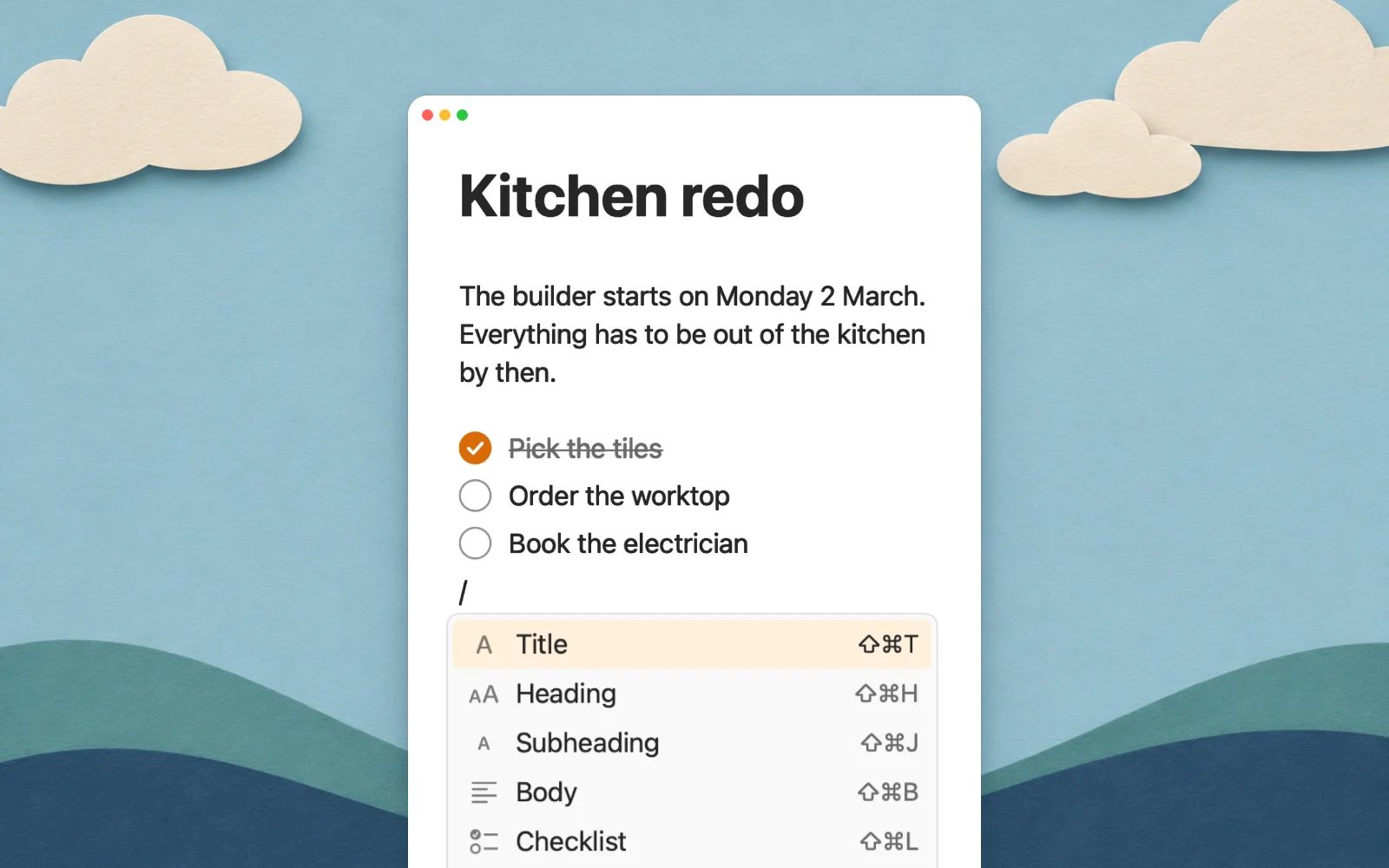
Pinto Notes 1.3 for Mac adds a / menu, the kind you know from Notion. Type / anywhere in a note, pick what you want, and press Return. Your hands stay on the keyboard.

Type / and pick
The menu opens under the caret with everything you can add to a note: headings, checklists, lists, quotes, callouts, highlights, code, tables, dividers, today's date, links, links to your other notes and files. The arrow keys move through it, Return or Tab picks one, and Escape closes it. Each command shows its keyboard shortcut, if you'd rather learn that one.
Find a command by its name
Keep typing after the / and the menu narrows down: /tab for a table, /div for a divider. The words you know from other apps work too, like h1, todo, hr or ul. The commands you used last sit at the top, so the ones you need most are one Return away.

Callouts
A callout is a box that stands out from the rest of the note, for a tip, a warning or a question. Type /warn, /tip or /question to get that kind straight away. Pinto Notes saves them as plain Markdown, written the way Obsidian writes callouts, so they still look right if you open the note there, and notes you bring over from Obsidian keep theirs. ChatGPT and Claude read them as plain text too, once you connect them to your notes.
Tables, dates and links
/table puts in an empty table with the keyboard in its first cell, and Tab moves to the next one. /date writes today's date. Link to Note lets you pick another note by its name, the same as typing two square brackets.

Update to 1.3
The / menu is in Pinto Notes 1.3 for Mac. If you already have the app, choose Pinto Notes, then Check for Updates. The Format menu and its shortcuts are still there too.

Get Pinto Notes
Free. Needs iOS 26 or macOS 26.