Claude memory vs notes Claude can read and write


Claude remembers things about you now, so why connect it to your notes? Because they keep different things. Here's the difference, and how to use both.
What Claude's memory is
According to Anthropic's help page on memory, Claude saves what it learns about you as a set of separate topics while you chat, and you can ask it to remember something on purpose. A few details matter:
- Where it lives. Settings, Memory, where “Generate memory from chats” turns it on or off. You can open each topic, edit it or delete it there.
- Who has it. On by default on Free, Pro and Max, on the web, in Claude Desktop and in the iPhone app. On Team and Enterprise, an owner decides.
- Projects. Each project has its own memory, separate from your other chats.
- What it leaves out. Incognito chats, and by default sensitive topics such as financial account numbers.
Side by side
| Claude's memory | Notes Claude can read and write | |
|---|---|---|
| Who writes it | Claude, plus what you ask it to remember | You, and Claude when you ask it to |
| Exact wording | Short topics in Claude's words | The whole text, as written |
| Where you read it | Claude's settings | Your notes app, on iPhone and Mac |
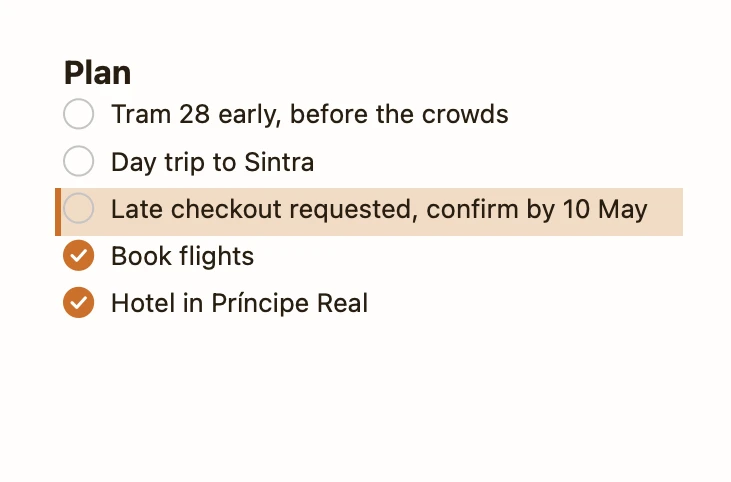
| Lists you tick off | No | Yes, as checklists |
| Other AI apps | Claude only | Any app that connects to the notes app, such as ChatGPT or Claude Code |
| A change you didn't want | Edit or delete the topic | In Pinto Notes: Undo, and earlier versions kept |
So memory suits things like your job, the tone you like and the tools you use: context you'd otherwise repeat. Notes suit trip plans, shopping lists, meeting notes and drafts: things you'll read again yourself, often on your phone. If you also use ChatGPT, ChatGPT memory vs notes is the same comparison for its memory, and the notes are the one place both can read.
Use both
Put the habit in memory and the content in notes. Once Claude can reach your notes, send it this once, and it keeps the rule in its memory:
A line for Claude's memory
Remember this: when I ask you to note, save or add something, put it in Pinto Notes. Look for an existing note first and add to it, and only start a new note when nothing fits.
You can also move what Claude remembers into a note you can read and edit. The first sentence is the one Anthropic suggests for copying your memory out; the rest saves it as a note.
Copy Claude's memory into a note
Write out your memories of me verbatim, exactly as they appear in your memory. Then create a note in Pinto Notes called "About me (for Claude)" with them, under the headings Work, Preferences and Projects. Don't add anything that isn't in your memory, and tell me what you left out.
Claude reads the result back from the note in later chats, and you can fix anything it got wrong in the note itself.
Connect Claude to your notes
Claude reaches a notes app through a connector, which is an MCP server. Amber Notes is in Claude's connector directory:
- Open the Amber Notes listing on claude.ai or in the Claude desktop app, and choose Connect to Claude.
- Sign in to Pinto Notes on the page that opens.
- Pinto Notes on your iPhone or Mac asks whether to allow Claude. Pick Read and Edit or Read Only, and choose Allow.
Once it's added, the Claude iPhone app can use it too. On Team and Enterprise an owner may need to allow it first. If your Claude app doesn't show the listing, add https://mcp.ambernotes.app as a custom connector, under Customize, Connectors; that works on every plan. Connecting ChatGPT and Claude has the details, and Claude and Apple Notes covers your options if your notes are still in Apple Notes.
Why I built Pinto Notes this way
I make Pinto Notes, a notes app for iPhone and Mac that Claude, ChatGPT, Claude Code and Codex can use. When Claude adds to a note it changes only those lines, the change shows up tinted with Undo, and the version before is kept in the note's history, with Claude named as the one who made it. Your notes are end-to-end encrypted, and only the AI connections you approve can read them; locked notes stay out of reach even then.
It isn't a replacement for Claude's memory, and it doesn't read it. It's the place for the things you want to keep in your own words. Moving from Apple Notes is one import on your Mac.
Try Pinto Notes on your Mac
Notes Claude can read and add to when you allow it, with every change marked and undoable.
Download Pinto Notes for MacThe iPhone app is coming to the App Store soon. Pinto Notes is on Mac today: send yourself the link to open there.
Send myself the linkPinto Notes is for iPhone and Mac. Send yourself the link to open on one.
Send myself the linkFree, for macOS 26 or later. Importing from Apple Notes only reads it; nothing there changes.
Questions
Can ChatGPT or other apps read Claude's memory?
No. It lives in your Claude account. You can copy it out by asking Claude to write its memories out word for word, which Anthropic documents, but nothing else reads it directly. A note in an app with an MCP server can be read by Claude, ChatGPT, Claude Code and Codex alike.
Should I turn Claude's memory off if I keep notes?
Not necessarily. Memory is good for how you like Claude to work with you. Notes are for anything you want to read again word for word, tick off or keep. They work well together.
Checked against the app on .