An alternative to Notion
A Notion alternative for everyday notes
Notion is great for team wikis and databases. For the note you jot down while standing in a queue, Pinto Notes works like Apple Notes, offline too, and ChatGPT or Claude can keep its tables up to date.
Pinto Notes is for iPhone and Mac. The iPhone app is coming to the App Store soon.
Send myself the linkPinto Notes for iPhone is coming to the App Store soon. It's on Mac today.
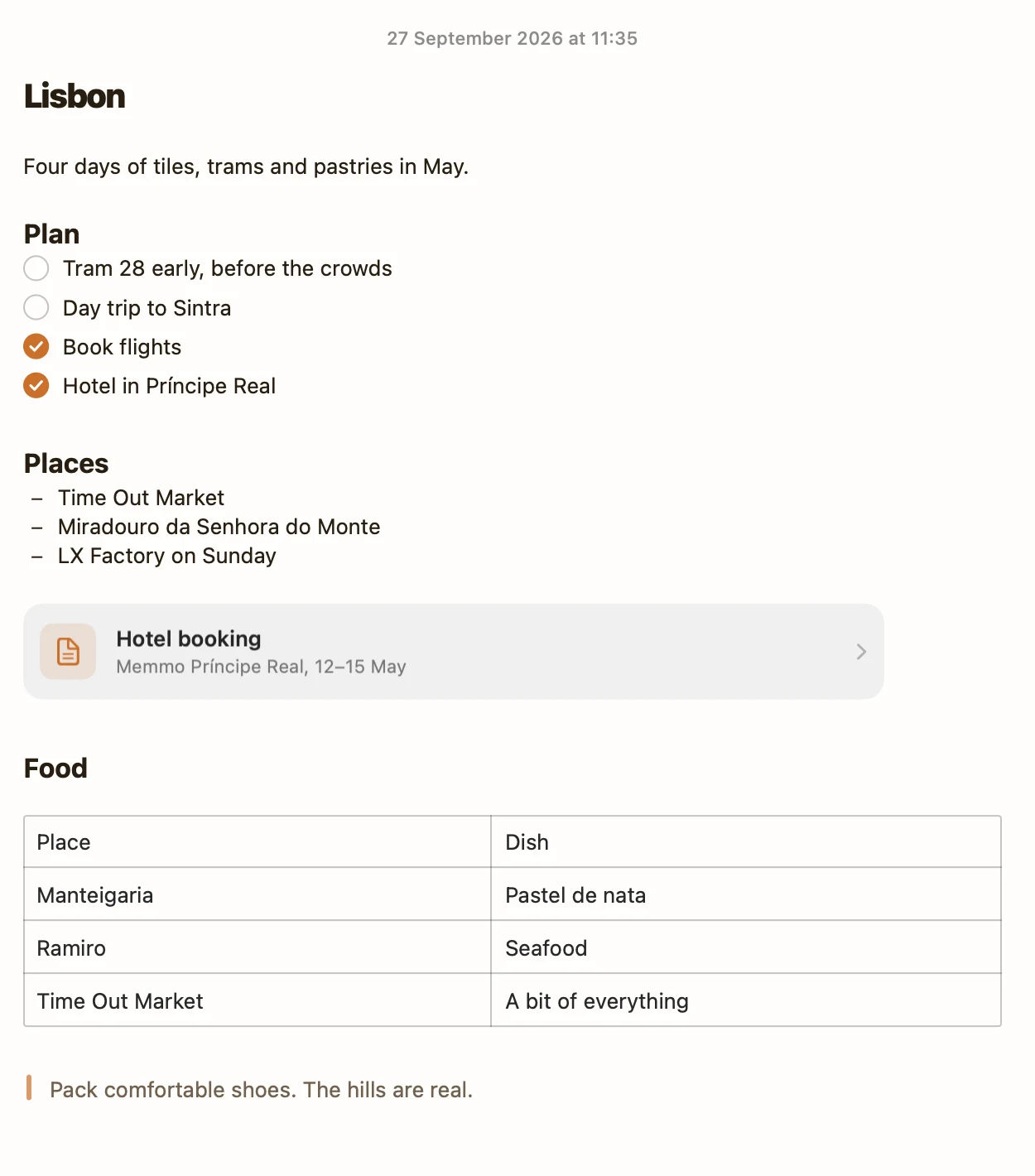
What you'd use Notion for, done in a note
A note can hold tables, checklists and links to other notes, with no database to set up first.
Track something in a table
A table in a note sorts and adds up like a small database. ChatGPT adds the row while you're still at the viewing.
Let your AI keep a project current
Tell Claude what you finished. It ticks the items, and checklists move done items to the bottom by themselves.
Get a custom view without building one
Ask for an app instead of a template. Claude builds it inside the note, from the table you already have.
Pinto Notes and Notion
| Notion | Pinto Notes | |
|---|---|---|
| Best at | Team wikis and linked databases | Quick personal notes, lists and tables |
| Devices | Web, Mac, Windows, iPhone, Android | Mac today; iPhone coming soon to the App Store |
| Offline | Pages you download for offline | Every note, always |
| Price | Free plan; paid plans per member | Free |
| Built-in AI | Notion AI, fully on Business and Enterprise | None built in; you connect ChatGPT, Claude or another AI |
| ChatGPT and Claude can edit | Through Notion's MCP server | Through Pinto Notes' MCP server, with Undo |
| Teams and shared editing | Yes | No |
Checked against each product's own pages on . If your notes are mostly team docs, Notion is the better fit.
Questions
Can I bring my Notion pages over?
Yes. Export your workspace from Notion as Markdown, then in Pinto Notes choose Import Notes and pick Markdown or text files. Folders, checklists and attachments come along.
Does Pinto Notes have databases?
It has tables inside notes, which cover lists of things with a few columns: a reading list, a budget, a log. There are no linked databases, relations or board views.
Is it for teams?
No. Pinto Notes is for one person's notes. You can share a note as a read-only web page, but there's no shared workspace.

Write it down before the thought is gone.
Pinto Notes is free and open source. Keep Notion for the team wiki, and keep your own notes somewhere that opens straight to the page.
Pinto Notes is for iPhone and Mac. The iPhone app is coming to the App Store soon.
Send myself the linkPinto Notes for iPhone is coming to the App Store soon. It's on Mac today.
Free. Requires macOS 26. No ads, and no tracking in the app.