Pinto Notes for ChatGPT
Give ChatGPT access to your notes
Pinto Notes works like Apple Notes. Connect ChatGPT once, and it can read and edit your notes, while you see every line it changed.
Pinto Notes is for iPhone and Mac. The iPhone app is coming to the App Store soon.
Send myself the linkPinto Notes for iPhone is coming to the App Store soon. It's on Mac today.
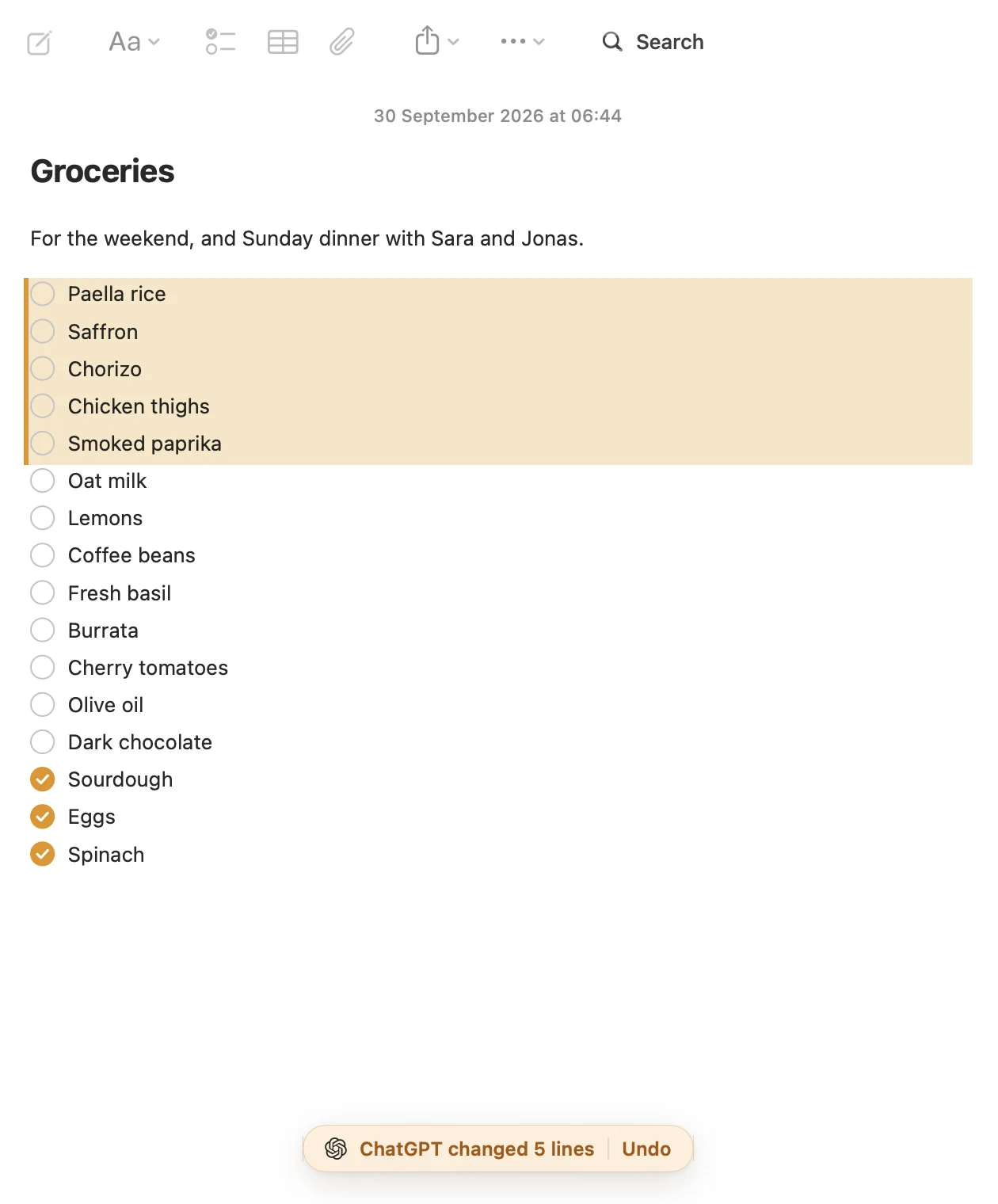
Three things to ask ChatGPT
Each one ends up in a real note on your Mac, which you can edit by hand or undo.
Add to a list from any chat
You're halfway through a recipe conversation and remember the milk. ChatGPT finds your Groceries note and adds the lines there.
Keep a plan, and get asked about it
Write the plan once as a checklist. A week later ChatGPT reads what you ticked before it answers, and moves what you missed.
Turn a table into a small app
Ask ChatGPT to make a note an app. It builds a tracker inside the note, and the numbers stay in your notes.
How the connection works
Pinto Notes has an MCP server built in, which is the standard way ChatGPT talks to other apps. You add Pinto Notes in ChatGPT on the web, under Plugins, with Developer mode on. OpenAI's docs list that for Plus, Pro, Business, Enterprise and Edu; the free plan can't add your own app yet. Pinto Notes is also coming to ChatGPT's app directory.
When ChatGPT asks for your notes, Pinto Notes asks you first, on your Mac or iPhone. You choose read only, or read and edit. Settings shows when ChatGPT last used your notes, and Disconnect stops it straight away.
Every change ChatGPT makes keeps the version before it. If it rewrote a note you liked better before, open the note's history and restore it.
Questions
Does ChatGPT see all my notes once it's connected?
It can read any note it asks for, except notes you lock with a password. It doesn't load your whole library up front: it searches or lists, then opens the notes it needs, the same way you would.
Can I use it from the ChatGPT app on my phone?
You add Pinto Notes on chatgpt.com, which is where OpenAI documents adding your own app. OpenAI's pages don't yet say clearly whether every plan's phone app can use it afterwards, so check on your account before you rely on it.
Is this better than ChatGPT's own memory?
They do different jobs. Memory holds short facts about you in ChatGPT's words. A note holds the full text you wrote, checklists you tick, and things you want to read yourself later, and Claude can read the same note.

Stop pasting notes into ChatGPT.
Pinto Notes is free and open source. Import your Apple Notes on the Mac, connect ChatGPT, and ask it about something you wrote last year.
Pinto Notes is for iPhone and Mac. The iPhone app is coming to the App Store soon.
Send myself the linkPinto Notes for iPhone is coming to the App Store soon. It's on Mac today.
Free. Requires macOS 26. No ads, and no tracking in the app.