Pinto Notes for Claude Code and Codex
Memory for Claude Code and Codex that you can read
Both agents start each session without what you decided last week. Connect them to Pinto Notes, and they keep decisions, standups and handoffs in notes you read in a normal notes app.
Pinto Notes is for iPhone and Mac. The iPhone app is coming to the App Store soon.
Send myself the linkPinto Notes for iPhone is coming to the App Store soon. It's on Mac today.
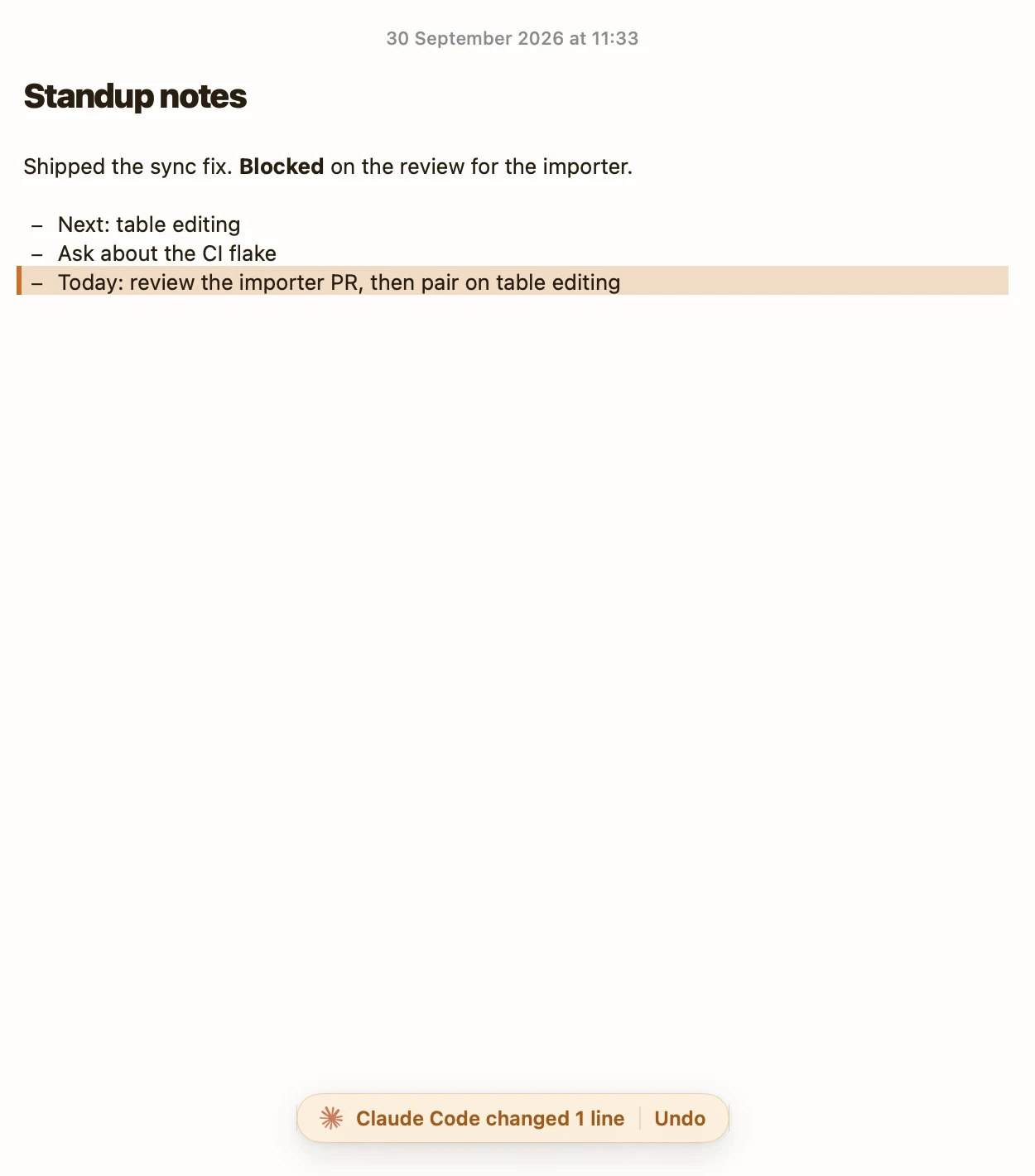
Three things to hand your agents
Give each agent its own token, and the note's history shows which one wrote what.
Write the standup from the commits
Claude Code reads the git log and writes three lines a person can read, in the note you open every morning.
Keep one decision log for both
Codex reads the same Decisions note Claude Code wrote to this morning, so you don't explain the cache keys twice.
Hand work from one agent to the next
At the end of a session, Claude Code writes what's done and what's next. Codex picks it up from the note.
Where agent memory can live
CLAUDE.md and AGENTS.md are the right place for a repository's rules. A note fits what spans repositories and agents.
| CLAUDE.md or AGENTS.md | The agent's own memory | A note in Pinto Notes | |
|---|---|---|---|
| Which agent reads it | Claude Code reads CLAUDE.md, Codex reads AGENTS.md | Only the agent that wrote it | Any agent connected over MCP |
| Where it lives | In one repository | On that computer | Synced between your devices |
| Who writes it | You, or the agent when you ask | The agent | You, and the agents when you ask |
| Read it in a notes app | No | No | Yes |
| Earlier versions | If you commit it | No | Every version, named by who changed it |
Checked against each product's own pages on . Claude Code's auto memory and Codex's memories are both newer features and change often; check each tool's docs for the current details.
Set it up in two commands
Codex: run codex mcp add amber_notes --url https://mcp.pintonotes.com and sign in in your browser. Claude Code: in Pinto Notes, open Settings, Connect an AI, Claude Code, and choose Add to Claude Code, or install the plugin and sign in from /mcp.
Give each agent its own access token and its name goes on every edit. Make a token read only for an agent that should only look things up.
Questions
Is this a replacement for CLAUDE.md?
No. Keep the repository's rules in CLAUDE.md or AGENTS.md, next to the code. Use notes for what changes week to week and for what more than one agent, or you, needs to read.
Do the notes go into every prompt?
No. The agent calls search or fetch when it needs a note, so nothing fills the context window until it asks. A line in CLAUDE.md such as "read Decisions in my notes before you start" makes it ask every time.
Can I use it with Cursor or Gemini CLI too?
Any tool that supports remote MCP servers can connect to the same address and sign in. The MCP server page has the one-line installs.

Let the next session start where this one stopped.
Pinto Notes is free and open source under the MIT license. Download it, connect one agent, and ask it to write today's standup.
Pinto Notes is for iPhone and Mac. The iPhone app is coming to the App Store soon.
Send myself the linkPinto Notes for iPhone is coming to the App Store soon. It's on Mac today.
Free. Requires macOS 26. No ads, and no tracking in the app.