An alternative to Apple Notes
The Apple Notes alternative your AI can use
It has the folders, checklists and tables you know from Apple Notes. The difference is that ChatGPT, Claude and Claude Code can find and edit your notes from any device.
Pinto Notes is for iPhone and Mac. The iPhone app is coming to the App Store soon.
Send myself the linkPinto Notes for iPhone is coming to the App Store soon. It's on Mac today.
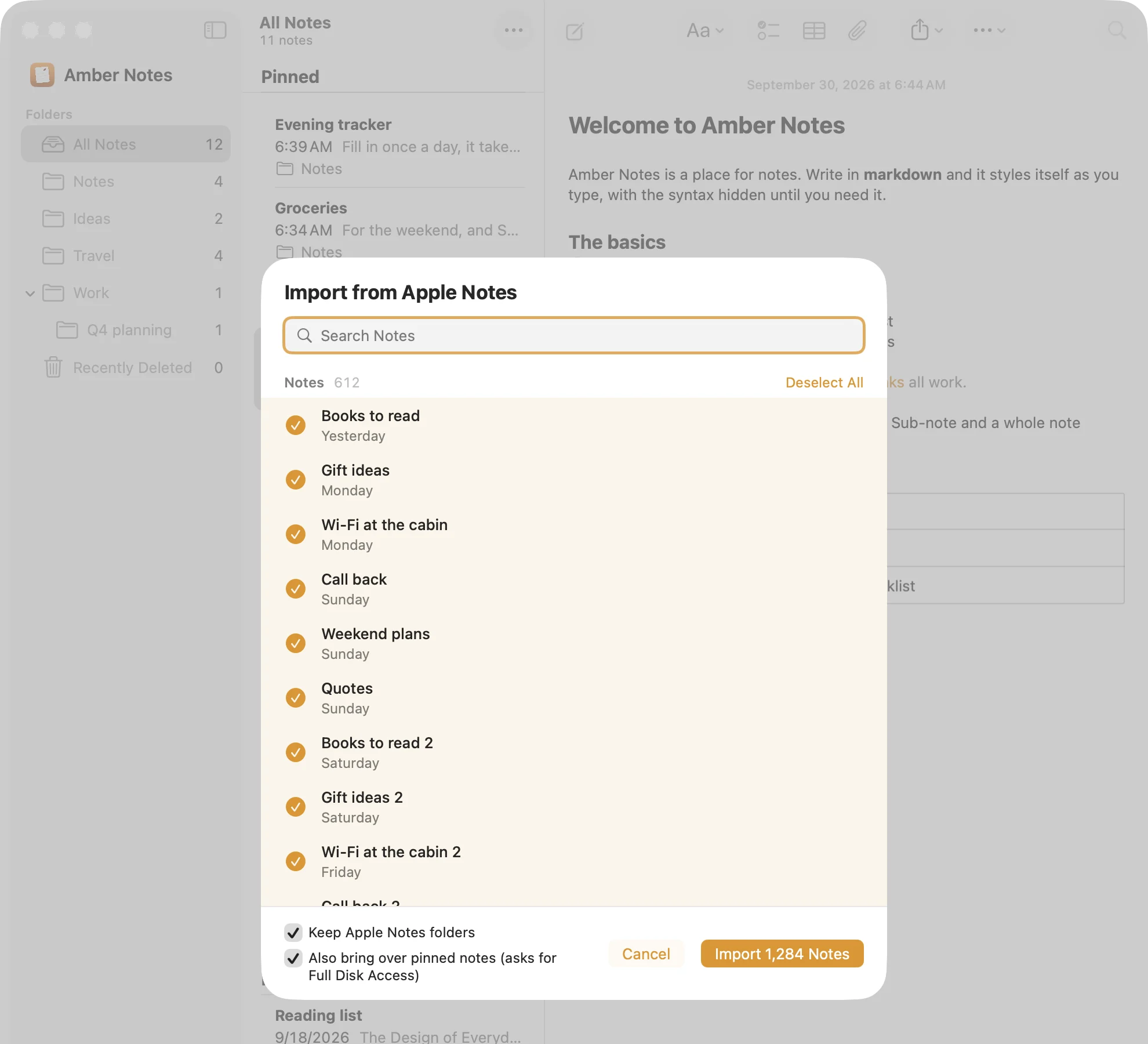
What changes when your AI can read your notes
Bring every note over first. Apple Notes stays as it was, so you can go back any time.
Find something you wrote years ago
Ask the way you'd ask a person. ChatGPT searches every note and answers with the line it found.
Tidy up notes you never had time for
Three half-finished packing lists become one checklist. The old notes stay where they were until you delete them.
Keep a log without opening the app
Say it in a chat, and a row lands in a real table you can sort on your Mac.
Pinto Notes and Apple Notes
| Apple Notes | Pinto Notes | |
|---|---|---|
| Price | Free with your Apple account | Free |
| Devices | Every Apple device, and iCloud.com | Mac today; iPhone coming soon to the App Store |
| ChatGPT and Claude can search and edit | Only on a Mac, through Claude Desktop's extension or community servers | Yes, from any device, with your approval |
| Version history | No | Every version, including AI edits |
| Stored as | Apple's own format | Markdown, formatted on screen |
| Drawing, handwriting, scanning | Yes | No |
| Shared notes others can edit | Yes | No; a read-only web page instead |
Checked against each product's own pages on . Apple Notes wins the last two rows, and they stay in.
Questions
Do I lose anything when I import from Apple Notes?
Folders, tables and pictures come along. Checklists and pins come too once you give Pinto Notes Full Disk Access on the Mac. Nothing in Apple Notes changes or gets deleted.
Can I keep using Apple Notes alongside it?
Yes. The import is a copy, so you can import a few notes, try it for a week, and keep writing in Apple Notes meanwhile.
Does it have Apple Notes' locked notes?
Yes. A note can be locked with a separate password, and a connected AI can't open a locked note.

Keep how Apple Notes feels, and let your AI in.
Pinto Notes is free, with no ads and no tracking in the app. Import your notes on the Mac in one go and keep Apple Notes as it is.
Pinto Notes is for iPhone and Mac. The iPhone app is coming to the App Store soon.
Send myself the linkPinto Notes for iPhone is coming to the App Store soon. It's on Mac today.
Free. Requires macOS 26. No ads, and no tracking in the app.