A weekly review with ChatGPT or Claude: the prompt and five questions

The hard part of a weekly review is the blank page on Sunday evening. Let an AI ask the questions one at a time, and all you have to do is answer.
The prompt
It names no app, so it works in ChatGPT, Claude, Gemini or anything else. It takes about twenty minutes from first question to write-up.
Weekly review
Let's do my weekly review. Ask me these five questions one at a time, and wait for my answer before you ask the next.

1. What went well this week?
2. What didn't, and why?
3. What did I learn?
4. What am I grateful for?
5. What are my top three for next week?

If an answer is vague, ask one short follow-up, then move on.

When I've answered all five, write the week up like this:
- A heading: "Week of" and Monday's date.
- One short bullet per question, in my own words. No advice.
- My top three as a Markdown checklist, one line each:
  - [ ] task

If I paste last week's review before we start, first ask me how each of last week's three went.
Keep “in my own words” and “no advice”. Without them the write-up comes back longer and tidier than your week was, and it's less use when you read it in a month.
What you get back
A few lines you can read in ten seconds next Sunday. For a week that started on Monday 5 October:
- Went well: shipped the pricing page; two early nights.
- Didn't: no deep work on Thursday, too many meetings.
- Learned: a 30-minute agenda beats a 60-minute meeting.
- Grateful for: dinner with my sister.
Top three for next week
- Block Thursday mornings for deep work
- Send the Q4 plan to Jonas
- Book the dentist
Copy gives you plain lines. In Apple Notes, select them and tap the checklist button.
Three things that keep it going
- Give it a fixed timeSunday evening or Friday afternoon, in your calendar. The AI won't start the review for you.
- Stop at three for next weekA list of nine is a to-do list, and by Wednesday you won't remember what was on it.
- Start from last week's three“How did those go?” is the most useful question in the review, and you can only ask it if last week is still somewhere you can find.
Where the reviews live
The third habit depends on where you keep the write-ups.
| The reviews live in | You can read back over the weeks | The AI starts from last week |
|---|---|---|
| The chat | By scrolling, if you keep to one chat | Only in that chat |
| Apple Notes, pasted in | Yes | No. You paste last week back in |
| A note your AI can edit | Yes | Yes. It reads the note first |
Apple Notes is a fine place for them, and it costs nothing. On a Mac with macOS 27, copy the write-up and choose Edit, Paste as Markdown: the lines that start with - [ ] become a checklist. On iPhone, paste it, select the three lines and tap the checklist button. Apple Notes templates has a Weekly review note to duplicate each week.
Let the AI keep the reviews itself
The third row is what I built Pinto Notes for. It's a notes app for iPhone and Mac that ChatGPT and Claude can read and edit once you allow it. With one Weekly review note, Sunday looks like this:
- Say “it's time for my weekly review”The AI reads the note, so it has the questions and last week's three before it asks anything.
- Answer the five questionsIt adds the week at the top of the Reviews section, with your top three as a checklist.
- Tick things off during the weekIn the app, by hand. Or tell the AI “the dentist is booked” and it ticks that line.
Because every week is in the same note, you can also ask “what keeps coming up in my reviews?” and get an answer from what you wrote. And if you keep a tracker in another note, the AI can read its rows and bring the week's numbers into the review.
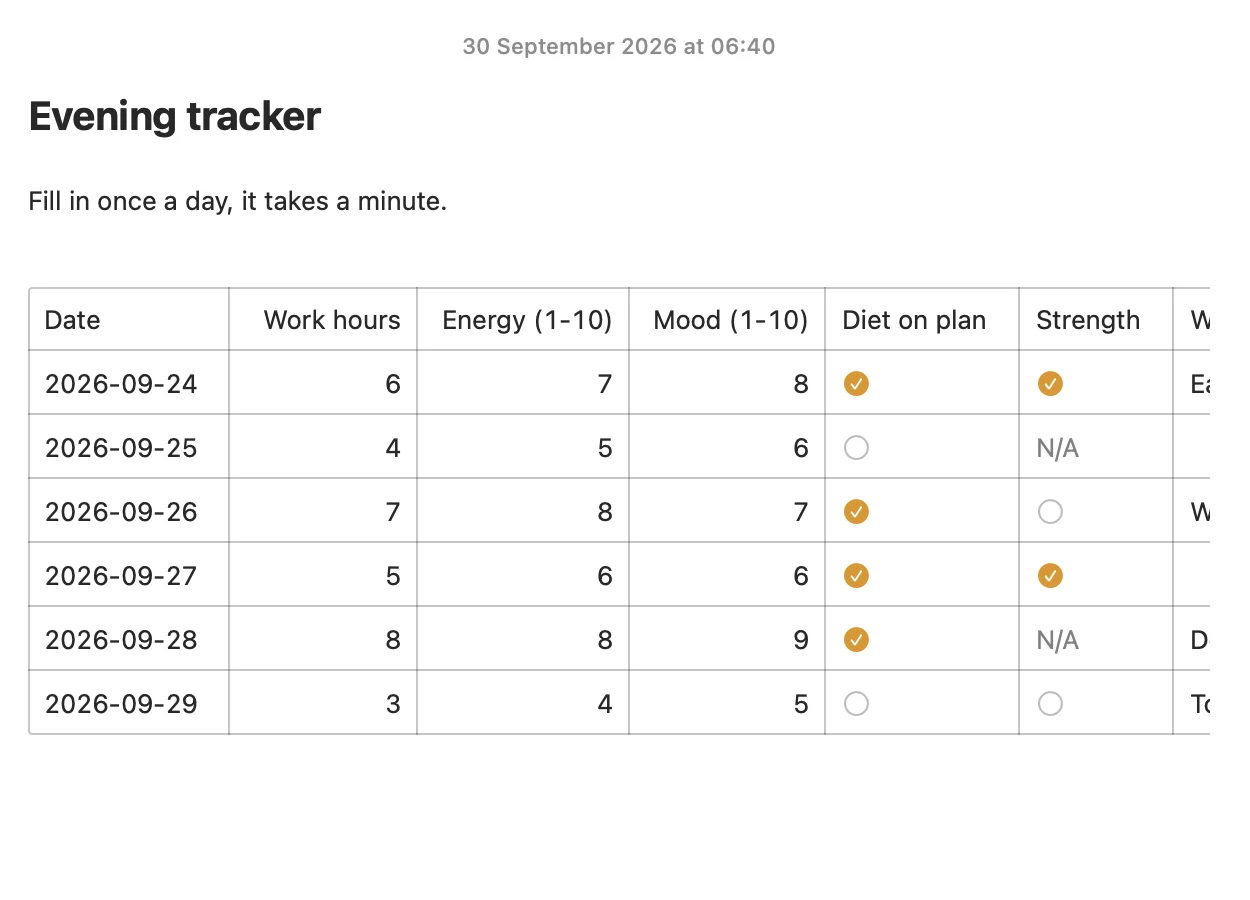
What the AI wrote is tinted in the note, with a bar that says how many lines it changed and an Undo. Every earlier version is kept, so a wrong edit is easy to put back.
What it doesn't do: it sends no reminders, so the fixed time is still yours to keep. You need ChatGPT on a plan that allows custom apps, or Claude; connecting ChatGPT takes a few minutes. The free Weekly review template has the note and the prompt that goes with it, and there are ones for a habit tracker and a daily journal too.
Try Pinto Notes on your Mac
One note for every week's review, written up by your AI and read back by you.
Download Pinto Notes for MacThe iPhone app is coming to the App Store soon. Pinto Notes is on Mac today: send yourself the link to open there.
Send myself the linkPinto Notes is for iPhone and Mac. Send yourself the link to open on one.
Send myself the linkFree, for macOS 26 or later. Importing from Apple Notes only reads it; nothing there changes.
Questions
Can ChatGPT do a weekly review with me?
Yes. Give it the questions and tell it to ask them one at a time and wait for your answer. Then ask for a short write-up with your top three for next week as a checklist. The prompt in this post does both.
What questions should a weekly review ask?
Five are enough: what went well, what didn't and why, what you learned, what you're grateful for, and your top three for next week. The last one is the one you'll use on Monday.
How long does a weekly review take?
About twenty minutes for five questions. If it takes an hour you'll skip it in week three, so keep the answers short.
Will ChatGPT or Claude remember last week's review?
Don't count on it. Paste last week's review in, or keep the reviews in a note the AI can read, so it works from what you wrote and not from what it recalls.
Does Pinto Notes remind me to do the review?
No. It's a notes app and sends no reminders. Put the review in your calendar, and say "it's time for my weekly review" to your AI when the time comes.
Checked against the app on .