A daily journal with ChatGPT or Claude: prompts to copy

Most journals stop at the empty page. If an AI asks you four short questions and writes down what you say, the page is never empty, and an entry takes about three minutes.
The prompt
It names no app, so it works in ChatGPT, Claude, Gemini or anything else. It works in a voice chat too, so you can talk through the day while you do the dishes.
Daily journal
Let's write today's journal entry. Ask me these four questions one at a time, and wait for my answer before you ask the next. If I say "skip", move on.

1. What happened today?
2. What took energy, and what gave it back?
3. What do I want to remember?
4. What's one thing for tomorrow?

If I tell you about my whole day in one message instead, don't ask the questions. Write the entry from what I said.

Then write the entry like this:
- A heading with the weekday and the date.
- Four short lines that start with a bold label: Today, Energy, Remember, Tomorrow.
- My own words, shortened. Don't add feelings I didn't mention, and don't give advice unless I ask.
Keep the last line. Left alone, an AI tidies your day into something calmer and wiser than it was, and that isn't the day you'll want to read about later.
What an entry looks like
Four lines you can read in ten seconds. For a Friday:
Friday 2 October
- Today: quiet day; finished the report and left at five.
- Energy: low after lunch, better after coffee with Jonas.
- Remember: the bakery on the corner opens at seven.
- Tomorrow: call Mum.
Short is the point. An entry this size gets written on the days you're tired, and those are the days worth having on record.
Prompts for other days
Four more, for the days when the usual questions don't fit. Each one stands alone.
Four more journal prompts
Two minutes, on a tired day:
Ask me for one sentence about today and one thing for tomorrow. Write them as two lines under today's date. Nothing else.

A morning page:
Ask me what's on my mind, what would make today a good day, and what I'm avoiding. One at a time. Then give me back three short lines, in my own words.

When something is stuck:
I'm going to write about something that's bothering me. Don't fix it. Ask me one question at a time that helps me say it more exactly, at most five. Then sum up what I said in three lines and ask if you got it right.

Looking back over a month:
Here are my journal entries from the last month. What comes up more than once? Quote my own lines as evidence, and tell me if there's too little to say.
The last one needs the entries in front of the AI. If they live in a chat or in Apple Notes, paste them in first. For a longer look back once a week, there's a weekly review prompt that works the same way.
Is it private?
Less private than a paper notebook, and it's worth knowing how before you start. Whatever you type or say goes to the company that runs the AI. ChatGPT and Claude each have a setting that decides whether your chats are used to train their models. Open the app's settings, find the data or privacy section, and choose before your first entry.
Some things don't belong in a chat at all. Write those by hand in a note and lock it. Apple Notes can lock a note behind your passcode or a password of its own. If you choose a password and lose it, nobody can open the note, Apple included.
Where the journal lives
A journal is only worth something if you can read it back, so pick one place and stay there.
| The entries live in | You can read the days back | The AI can look back with you |
|---|---|---|
| The chat | By scrolling, if you keep to one chat | Only in that chat |
| Apple Notes, pasted in | Yes | No. You paste the entries back in |
| A note your AI can edit | Yes | Yes. It reads the note first |
Apple Notes does this well for free. Make one note called Journal and paste each entry at the top. On a Mac with macOS 27, Edit, Paste as Markdown keeps the heading and the bold labels. On iPhone, paste it as it is. If the labels arrive with asterisks around them, the entry still reads fine. Apple Notes templates shows how to keep a blank entry to duplicate, if you'd rather type than talk.
Let the AI keep the journal itself
The third row is what I built Pinto Notes for. It's a notes app for iPhone and Mac that ChatGPT and Claude can read and edit once you allow it. With one Daily journal note, an evening looks like this:
- Say “I want to journal”The AI reads the note, finds the four questions in it and asks them one at a time.
- Answer, or just talk“Today was long: the move is done, the boxes aren't, and I finally slept” is enough for an entry.
- The entry lands at the top of the noteUnder Entries, newest day first. You never copy or paste anything.
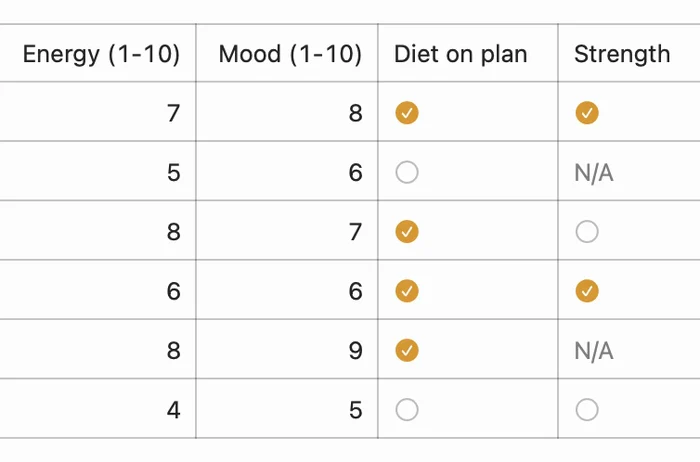
Because every day is in the same note, “what's been on my mind this week?” gets an answer from your own entries. And if you'd like numbers next to the words, a second note can hold a table with one row per evening: say how you slept and how the day felt, and the AI logs the scores.
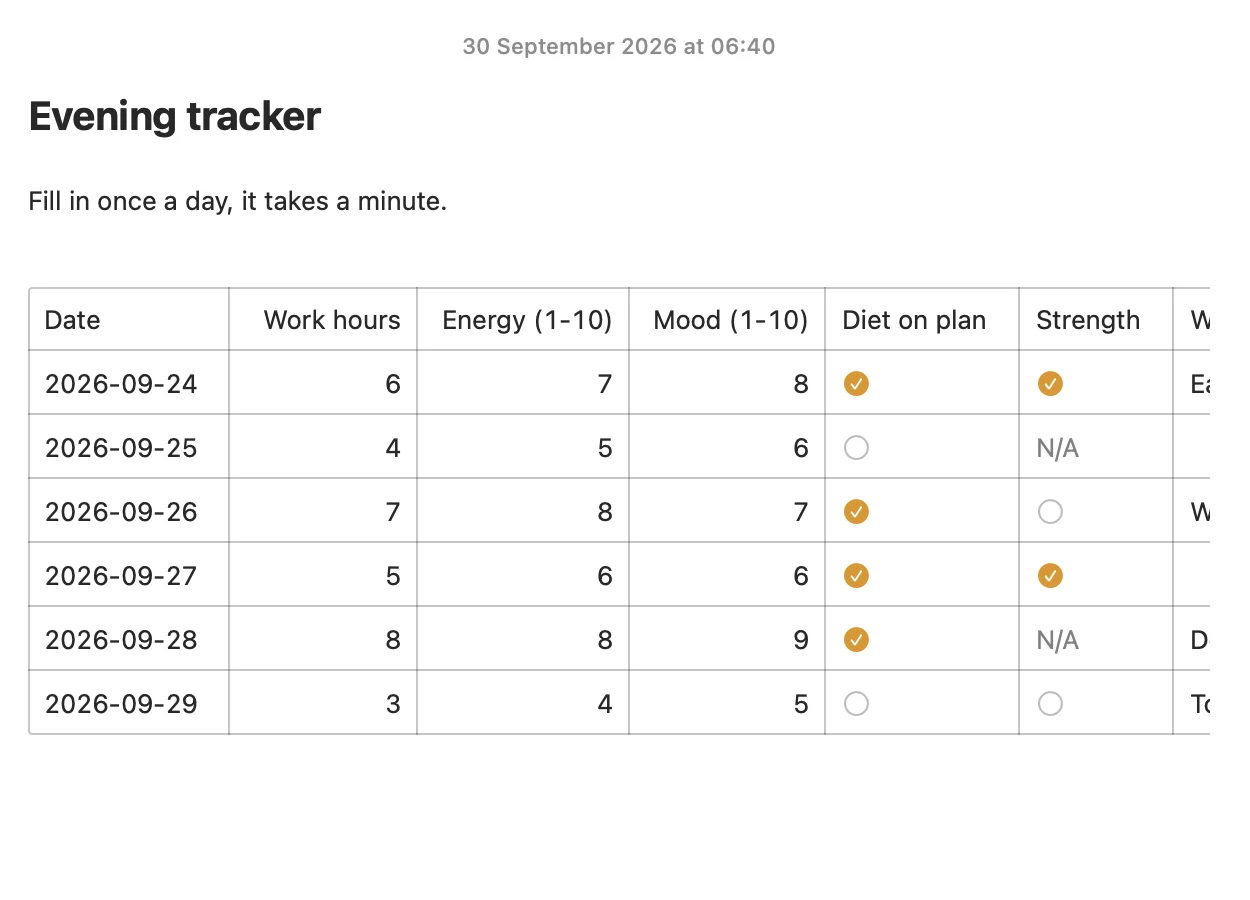
What the AI wrote is tinted in the note, with a bar that says how many lines it changed and an Undo. Every earlier version is kept, so an entry it got wrong is easy to put back.
What it doesn't do: it sends no reminders, and it isn't more private than the AI you connect, which reads the journal in order to write in it. The AI sees the title of a note you lock in Pinto Notes and nothing else, so a locked journal is one you write yourself. You need ChatGPT on a plan that allows custom apps, or Claude; connecting ChatGPT takes a few minutes. The free Daily journal template has the note and the prompt that goes with it, and the Mood and energy log is the table.
Try Pinto Notes on your Mac
One note for every day's entry, written down by your AI and read back by you.
Download Pinto Notes for MacThe iPhone app is coming to the App Store soon. Pinto Notes is on Mac today: send yourself the link to open there.
Send myself the linkPinto Notes is for iPhone and Mac. Send yourself the link to open on one.
Send myself the linkFree, for macOS 26 or later. Importing from Apple Notes only reads it; nothing there changes.
Questions
Can ChatGPT keep a journal for me?
It can ask the questions and write up your answers, which is the part most people stall on. Whether it keeps the entries is another matter: a chat scrolls away, so copy each entry into a note, or use a notes app the AI can write to.
What should a daily journal prompt ask?
Four questions cover most days: what happened, what took energy and what gave it back, what you want to remember, and one thing for tomorrow. Tell the AI to ask them one at a time and to keep your own words.
Is it private to journal with an AI?
What you type is sent to the company that runs the AI, as with any chat. ChatGPT and Claude both have a setting for whether your chats are used to train their models, so look at it before you write anything you'd mind sharing. For the most private thoughts, a note you write yourself and lock is safer than a chat.
Will the AI remember what I wrote last week?
Don't count on it. Paste the entries in when you want it to look back, or keep them in a note the AI can read, so it answers from what you wrote and not from what it recalls.
Does Pinto Notes remind me to journal?
No. It's a notes app and sends no reminders. Pick a time, such as when you put your phone on charge, and say "I want to journal" to your AI then.
Checked against the app on .