How to move Apple Notes to Obsidian, Notion or Google Keep


Apple Notes has no button that moves everything to another app, so the route depends on where you're going.
Before you start
Locked notes are the main thing that gets left behind. Obsidian's importer skips them, and Apple Notes won't export a locked note, so take the lock off the ones you want to bring. If you've lost the password for one, what to do if you forgot your Apple Notes password explains what's possible.
Before moving out of Apple Notes
- Unlock the locked notes you want to bring
- Move one test note with a checklist, a table and a picture, and open it in the new app
- Keep Apple Notes as it is until you've checked the new app
- Write down the folders you have, to compare afterwards
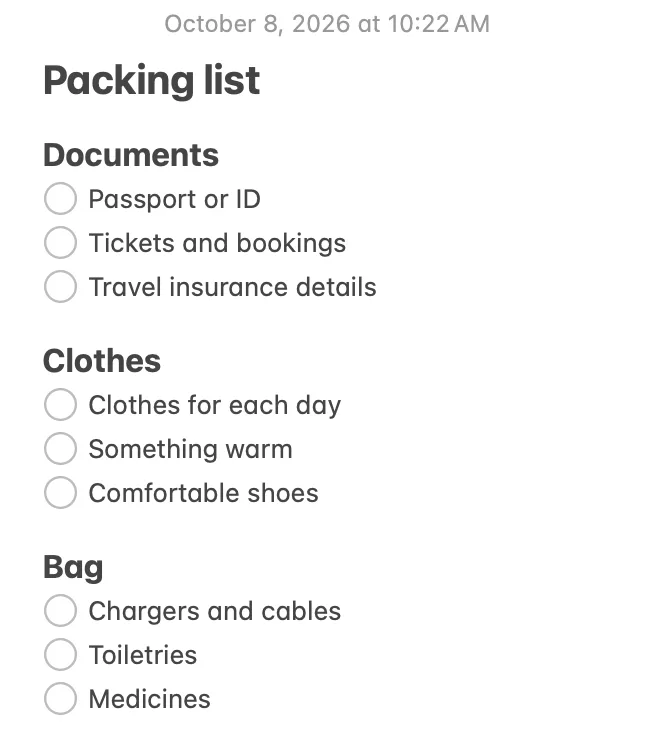
Copy gives you plain lines. In Apple Notes, select them and tap the checklist button.
Apple Notes to Obsidian
Obsidian has the only real importer of the three. Its official Importer plugin reads Apple Notes' data on your Mac and turns each note into a Markdown file in your vault. It runs on macOS only; Obsidian says it isn't available on iOS yet.
- Install ImporterIn Obsidian, open Settings, choose Community plugins and turn off Restricted mode if it's on. Choose Browse, find Importer, click Install, then Enable.
- Open Importer and pick Apple NotesOpen it from the command palette or its icon in the ribbon, and under File format choose Apple Notes.
- Give it access to your notesClick Import. When Obsidian asks for the group.com.apple.notes folder, click Open. That folder is where Notes keeps its data on your Mac.
- Check the preview, then importYou can change the note template and the file names before the import starts.
Obsidian says it handles virtually everything in Apple Notes, including tables, pictures, drawings, scans and PDFs. The plugin's code puts notes in folders that match yours and turns checklist items into Markdown checkboxes. If you're still deciding, Apple Notes vs Obsidian covers what you gain and what you give up.
Apple Notes to Notion
Notion's import list has Evernote, Trello and Confluence, but not Apple Notes. The way in is Markdown: Notion imports Markdown files, and Apple Notes can write them.
- Export your notes as MarkdownUse the menus below, note by note. Apple's export works one note at a time, so for many notes a free exporter is quicker.
- Put the files in a ZIPOn a Mac, Control-click the folder in Finder and choose Compress. Notion keeps the folder structure from a ZIP.
- Import the ZIP in NotionIn the sidebar, open Settings, then Import, and choose the ZIP. The notes arrive as pages you can move anywhere afterwards.
- Mac, macOS 27
- Mac, macOS 26
- iPhone

How to export Apple Notes to Markdown has the free exporters that do a whole library at once, and what to check in the files. On Notion's side, mind the limits. On the Free plan a single file can be at most 5 MB (50 MB on paid plans), and Notion handles about 120 Markdown files every 12 hours. A ZIP can be up to 5 GB, but Notion says one with more than 10,000 files is likely to fail. Apple Notes vs Notion compares the two apps if you haven't decided yet.
Apple Notes to Google Keep
Google Keep can't import notes from any app. Its help pages cover sending notes out of Keep and downloading them with Google Takeout, and nothing about bringing notes in. So the move is by hand:
- Copy the note in Apple NotesOpen it, select all the text and copy it.
- Paste it into a new note in KeepMake the first line the title, and add a label if you sort notes that way.
That's fine for a few dozen notes, and slow for hundreds. Pictures have to be added to each Keep note separately, and Keep has no folders, only labels, so your folders won't come with you.
One thing that confuses people: if Apple Notes shows a Gmail account in its sidebar, those notes aren't in Google Keep. They live in your Gmail account and sync over IMAP, the same way Mail does, and Keep never shows them.
What comes across
Google Keep gets the text of each note and nothing else. For the other two:
| In your notes | Obsidian | Notion |
|---|---|---|
| All notes at once | Yes | With a free exporter |
| Folders | Kept | Kept, if the ZIP has them |
| Checklists | Markdown checkboxes | Depends on the export |
| Pictures | Come along | Depends on the export |
| Locked notes | Skipped | Unlock them to export |
“Depends on the export” means Apple doesn't say what its Markdown export keeps, and the free exporters each do it their own way. That's what the test note in the checklist above is for.
Or move to a notes app that works like Apple Notes
Pinto Notes, the notes app for iPhone and Mac that I make, looks and works like Apple Notes, keeps every note as Markdown, and lets ChatGPT and Claude read and edit your notes once you approve them. On a Mac, File, Import from Apple Notes copies every note in every folder, with the folders' names, nesting and order. Pictures come along as files, and importing again skips notes that are already there. Apple Notes doesn't change.
It has limits too. Locked notes stay in Apple Notes and show as “Locked in Apple Notes”. Checklists and pins come over exactly only if you give Pinto Notes Full Disk Access, which it never asks for; without it, checklists arrive as bullet lists. There's no Windows, Android or web version. The iPhone app is coming soon to the App Store. Moving from Apple Notes walks through the import.
Try Pinto Notes on your Mac
Every Apple Notes folder in one import, and notes ChatGPT and Claude can work with.
Download Pinto Notes for MacThe iPhone app is coming to the App Store soon. Pinto Notes is on Mac today: send yourself the link to open there.
Send myself the linkPinto Notes is for iPhone and Mac. Send yourself the link to open on one.
Send myself the linkFree, for macOS 26 or later. Importing from Apple Notes only reads it; nothing there changes.
Questions
Can Obsidian import Apple Notes directly?
Yes, on a Mac. Obsidian's official Importer plugin has an Apple Notes option that reads Notes' own data on your Mac and writes each note as a Markdown file, in folders that match yours. It doesn't run on iPhone, and it skips locked notes.
Does Notion have an Apple Notes importer?
No. Notion's import list has Evernote, Trello, Confluence and others, but not Apple Notes. Export your notes as Markdown first, put the files in a ZIP, and import that in Notion under Settings, Import.
Can I import Apple Notes into Google Keep?
Not in one go. Google Keep has no import feature, so each note has to be copied and pasted into a new Keep note.
Are my Gmail notes in Apple Notes the same as Google Keep?
No. Notes kept under a Gmail account in Apple Notes are stored in your Gmail account over IMAP, the way Mail works. Google Keep is a separate app with its own notes, and it doesn't show them.
Will moving my notes delete them from Apple Notes?
No. None of these routes changes Apple Notes. Obsidian's importer reads a copy, and an export writes new files. Your notes stay in Apple Notes until you delete them yourself.
Checked against the app on .